
Microsoft Secure Score helps organizations get insights into security posture based on security-related measurements. Microsoft Defender for Identity leverages Secure Score with twenty-seven recommended actions. In a series of blog posts, I will go through all twenty-seven recommended actions and what they mean, a plan of approach, their impact, and my security recommendations, hopefully helping others. The fifteenth one in the series is the “Accounts with non-default Primary Group ID” recommended action.
Introduction
You have twenty-seven recommendations if you filter the Secure Score recommended actions for Microsoft Defender for Identity.
- Resolve unsecure domain configurations
- Resolve unsecure account attributes
- Remove dormant accounts from sensitive groups
- Protect and manage local admin passwords with Microsoft LAPS
- Configure VPN integration
- Reduce lateral movement path risk to sensitive entities
- Stop clear text credentials exposure
- Disable Print spooler service on domain controllers
- Stop weak cipher usage
- Remove unsecure SID history attributes from entities
- Modify unsecure Kerberos delegations to prevent impersonation
- Install Defender for Identity Sensor on all Domain Controllers
- Set a honeytoken account
- Start your Defender for Identity deployment, installing Sensors on DC’s and other eligible servers
- Accounts with non-default Primary Group ID
- Change Domain Controller computer account old password
- Reversible passwords found in GPOs
- Unsafe permissions on the DnsAdmins group
- GPO assigns unprivileged identities to local groups with elevated privileges
- Remove access rights on suspicious accounts with the Admin SDHolder permission
- Remove local admins on identity assets
- Remove non-admin accounts with DCSync permissions
- GPO can be modified by unprivileged accounts
- Built-in Active Directory Guest account is enabled
- Change password for krbtgt account
- Change password of built-in domain Administrator account
- Ensure that all privileged accounts have the configuration flag
Some recommended actions are easy to configure, but others require time, proper planning, auditing, and expertise. This blog post will review the recommended action of “Accounts with non-default Primary Group ID.”
Update: Microsoft keeps updating the recommended actions list. I will do my best to keep the list up-to-date.
Primary Group ID
As the name suggests, the Primary Group Identifier (PGID) is the primary group of a user object within Active Directory. By default, it is the Relative Identifier (RID) of the Domain Users group. An RID is assigned to objects and is part of the Security Identifier (SID), which identifies an object within Active Directory. The most crucial part is that every user, by default, has the Domain Users as its default group. Every user is then a member of the Domain Users group. Once you create a user within Active Directory, the user is always a member of the Domain Users group.
Here is an example of a user account with the RID of the Domain Users group.
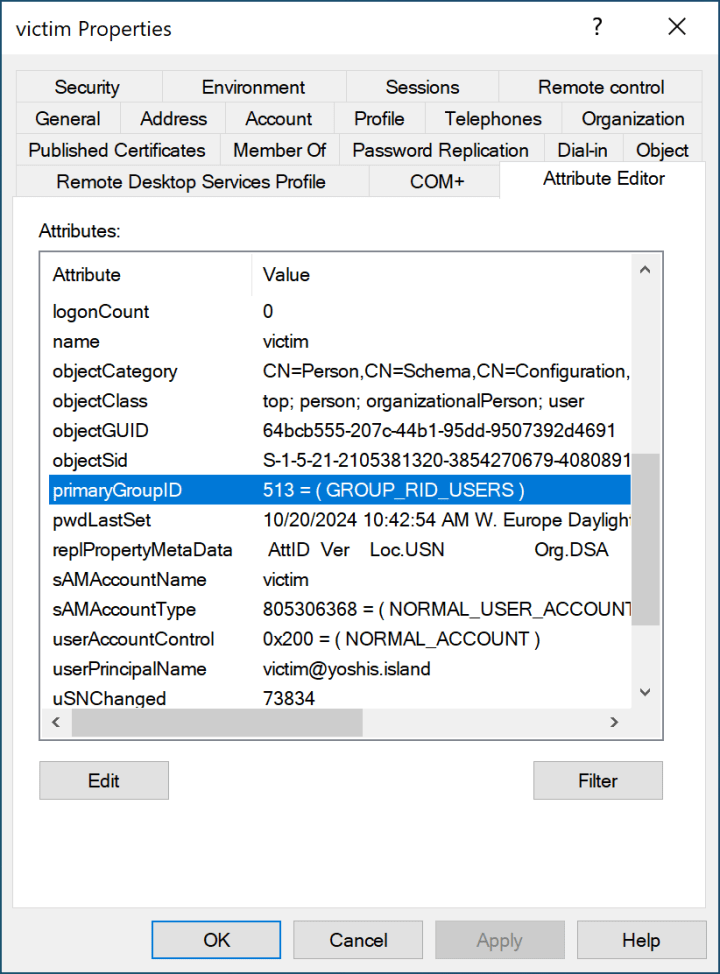
513 is the Domain Users Primary Group Identifier. As we can see in Microsoft’s documentation, 512 is the Primary Group Identifier for the Domain Admins group.
The Attack
If you change the Primary Group Identifier from 513 to 512, the object’s default group is the Domain Admins group. However, someone noticed that not all tooling shows that the object is a member of the Domain Admins group after changing its Primary Group Identifier, hiding the object from privileged groups. The malicious actor needs complete control over the object, so this attack is not used for privilege escalation but for persistence and stealth.
Changing the Primary Group Identifier takes work. If you change the PGID using PowerShell, you will see the following error.
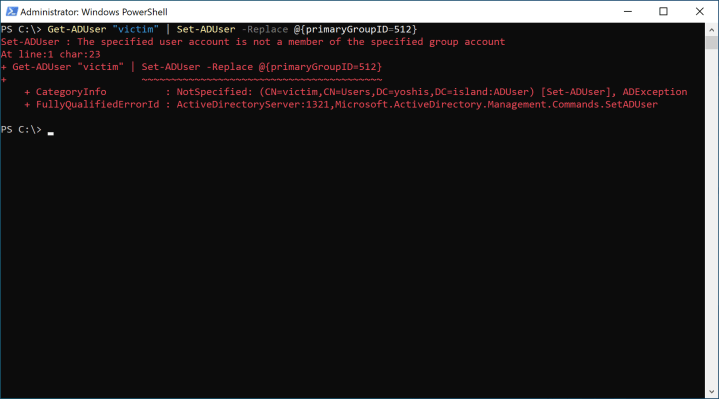
You get an error because validation occurs to check if the PGID matches the group the object is a member of. Another smart cookie discovered that this check does not occur when changing the object as a fake Domain Controller and then syncing the object to the production Domain Controllers. The attack mentioned above is called “DCShadow Attack.”
A DCShadow attack creates a Roque Domain Controller by placing objects in the configuration partition, triggering a synchronization, and removing them from the configuration partition. The best-known tool for performing a DCShadow attack is Mimikatz. After changing the RID of the object in Active Directory to 512, it looks like this.
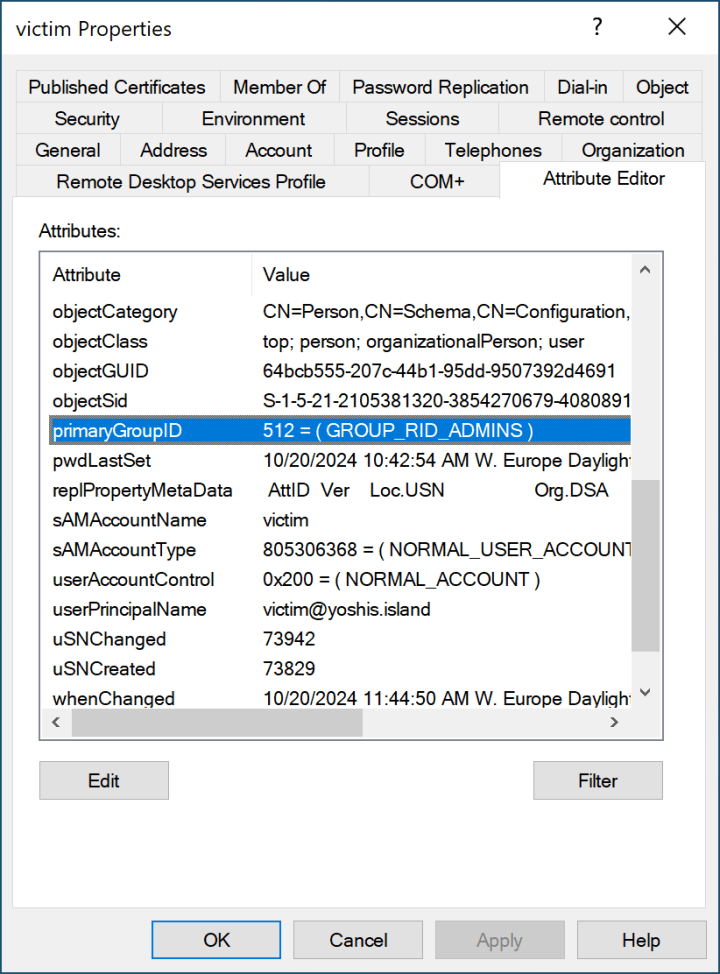
Unfortunately, I did not find any tools that do not show the object’s group membership. I have seen some screenshots online that do not show the group membership, but Active Directory Users and Computers show the group membership after changing the PGID.

Accounts with non-default Primary Group ID
Microsoft Defender for Identity monitors user and computer objects in Active Directory for non-default group IDs, such as 513 for Domain Users and 515 for Domain Computers. A domain Administrator account default PGID is a Domain User with an added Domain Admin group. There is no need to change the PGID to become a Domain Administrator.
Conclusion
If no POSIX standard, which dates back to the beginning of the 1980s, is used, there is no need to change any object PGID. However, if an object is a user or computer object, change the object PGID to 513 and add the correct groups to mitigate the attack. Luckily, Microsoft Defender for Identity helps us identify objects within Active Directory using this Recommended action.
 Microsoft Security Blog