
Microsoft Secure Score helps organizations get insights into security posture based on security-related measurements. Microsoft Defender for Identity leverages Secure Score with twenty-seven recommended actions. In a series of blog posts, I will go through all twenty-seven recommended actions and what they mean, a plan of approach, their impact, and my security recommendations, hopefully helping others. The sixteenth one in the series is the “Change Domain Controller computer account old password” recommended action.
Introduction
You have twenty-seven recommendations if you filter the Secure Score recommended actions for Microsoft Defender for Identity.
- Resolve unsecure domain configurations
- Resolve unsecure account attributes
- Remove dormant accounts from sensitive groups
- Protect and manage local admin passwords with Microsoft LAPS
- Configure VPN integration
- Reduce lateral movement path risk to sensitive entities
- Stop clear text credentials exposure
- Disable Print spooler service on domain controllers
- Stop weak cipher usage
- Remove unsecure SID history attributes from entities
- Modify unsecure Kerberos delegations to prevent impersonation
- Install Defender for Identity Sensor on all Domain Controllers
- Set a honeytoken account
- Start your Defender for Identity deployment, installing Sensors on DC’s and other eligible servers
- Accounts with non-default Primary Group ID
- Change Domain Controller computer account old password
- Reversible passwords found in GPOs
- Unsafe permissions on the DnsAdmins group
- GPO assigns unprivileged identities to local groups with elevated privileges
- Remove access rights on suspicious accounts with the Admin SDHolder permission
- Remove local admins on identity assets
- Remove non-admin accounts with DCSync permissions
- GPO can be modified by unprivileged accounts
- Built-in Active Directory Guest account is enabled
- Change password for krbtgt account
- Change password of built-in domain Administrator account
- Ensure that all privileged accounts have the configuration flag
Some recommended actions are easy to configure, but others require time, proper planning, auditing, and expertise. This blog post will review the recommended action of “Change Domain Controller computer account old password.”
Update: Microsoft keeps updating the recommended actions list. I will do my best to keep the list up-to-date.
Computer Objects Password
Most people are aware that user objects in Active Directory have a password. Few people know that computer objects also have a password within Active Directory. Technically, a password is the hash of a password. By default, the device initiates a password change every thirty days. The recommended action talks about Domain Controllers with an old password. Since it is an automated process every thirty days, a Domain Controller with a password older than thirty days is unusual.
Computer Password Risks
Anyone with a password of a computer object can authenticate as that computer. When a malicious actor owns a password for a Domain Controller, the malicious actor can perform many attacks, including a DCSync attack. With a DCSync attack, a malicious actor dumps secrets like hashes of a Domain Controller controlling the entire domain.
The password for the computer object is auto-generated and extremely hard to guess. I do not see a security risk when the password is not changing for forty-five days, but not changing the password at all could introduce a risk in the long run. However, I do not see anyone brute-forcing the correct hash of a computer object in a decent time.
Recommendations
Microsoft describes four recommendation steps.
- Verify Registry Values
- Reset Incorrect Values
- Check NETLOGON service
- Validate Password Synchronization
By default, a computer object’s password changes every thirty days. It is weird when Microsoft Defender for Identity identifies Domain Controller objects with a password older than thirty days. When a password is older than thirty days, either there is a policy forcing a password reset longer than thirty days.
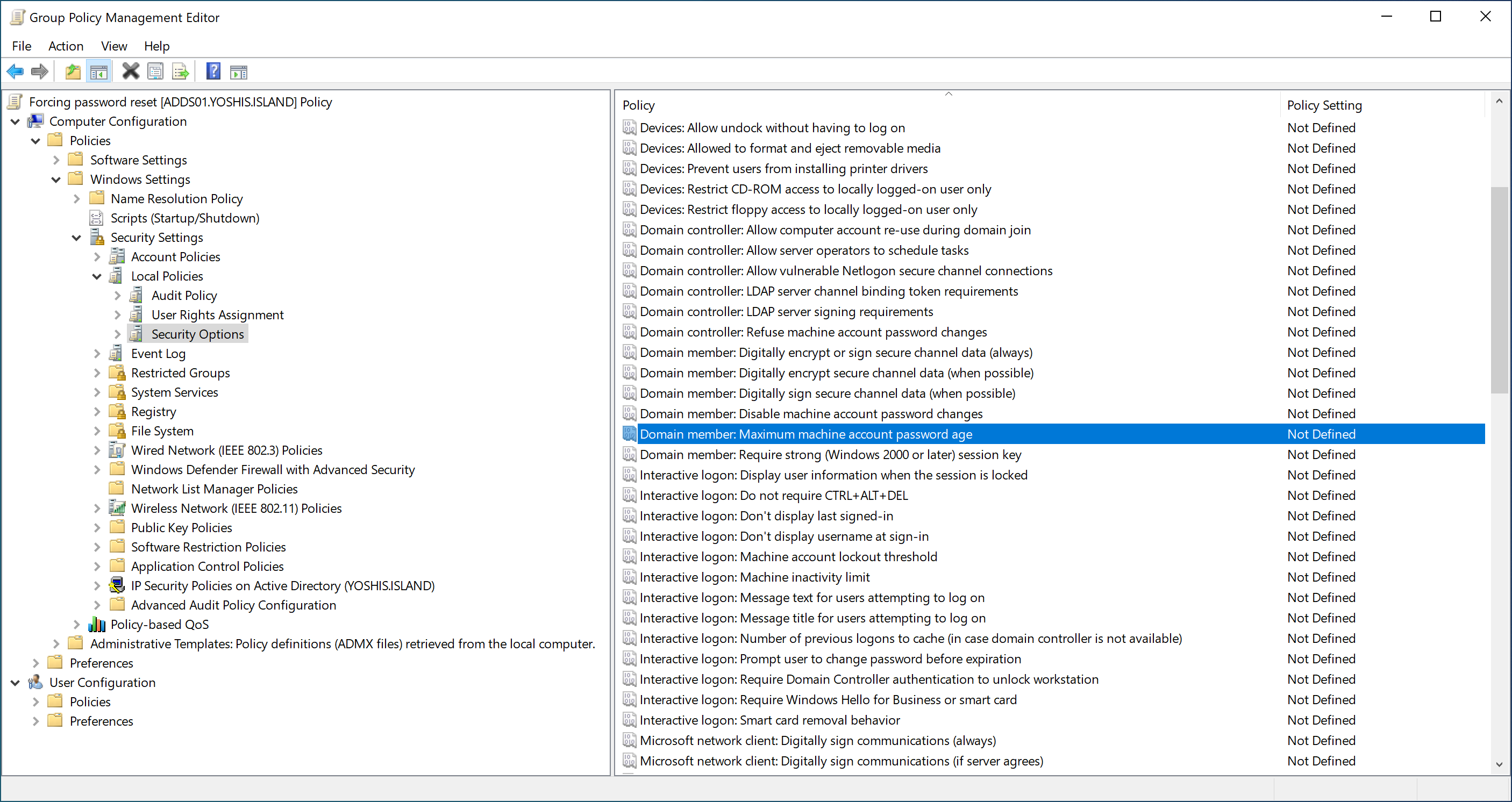
Get-ItemProperty -Path HKLM:\SYSTEM\CurrentControlSet\Services\Netlogon\Parameters -Name DisablePasswordChange

Get-ItemProperty -Path HKLM:\SYSTEM\CurrentControlSet\Services\Netlogon\Parameters -Name MaximumPasswordAge
You can turn off the password change using the registry or set the days the password is forced to change. Use the following PowerShell commands to check the values.
Microsoft recommends using the default value 0 for DisablePasswordChange and 30 for MaximumPasswordAge, which is the “Reset Incorrect Values” recommendation.
When you validate the default values, and Microsoft Defender for Identity still identifies old passwords for Domain Controllers, be sure the NETLOGON service is running.
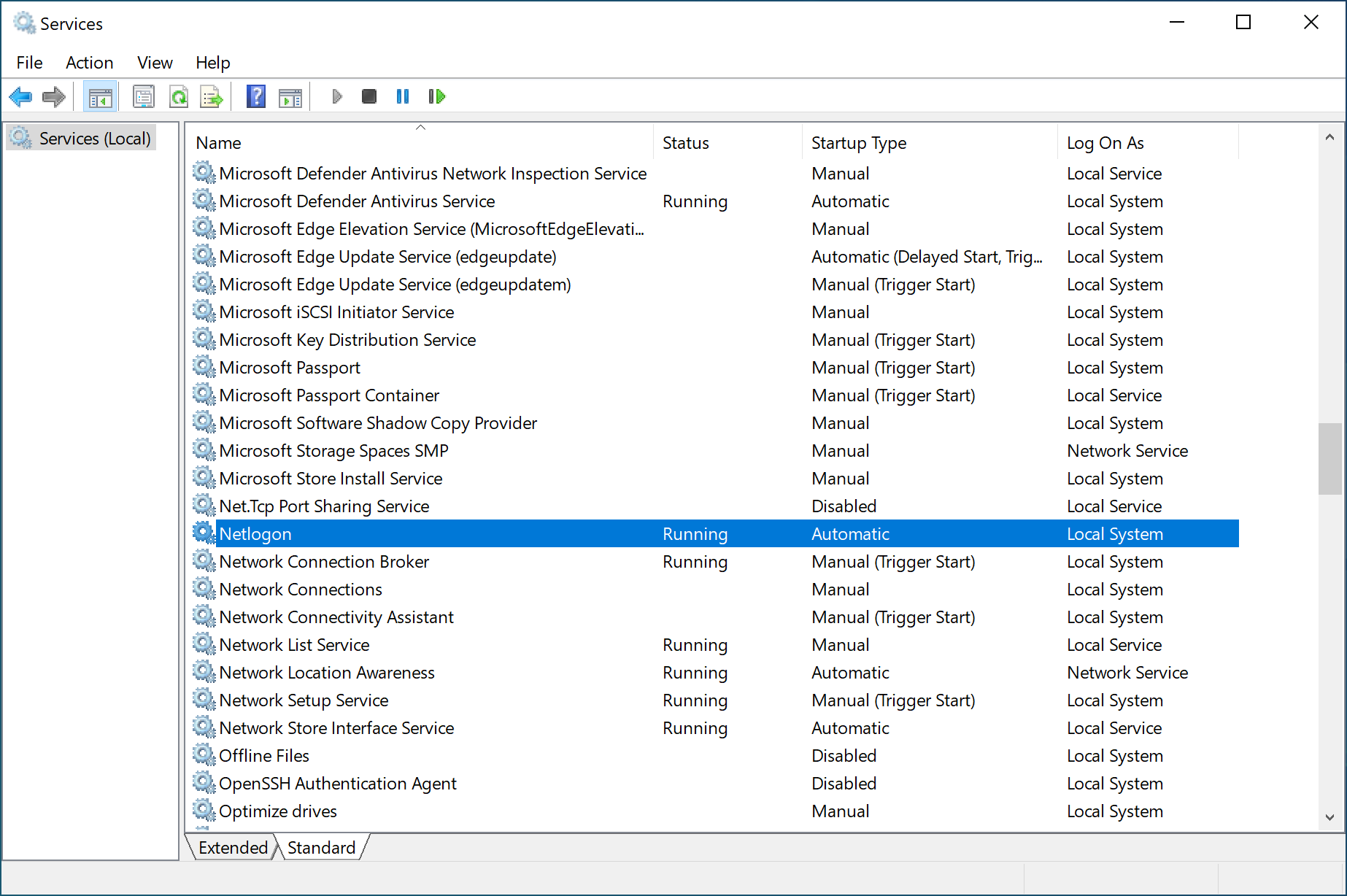
The last recommendation by Microsoft is to validate the password synchronization by running the command “NLTEST.”
nltest /SC_VERIFY:<Domain Name>NLTEST is a built-in command tool for resetting and testing a secure channel between Domain Controllers. The “sc_verify” parameter specifically checks the secure channel status established by the NetLogon service.
Note: Be sure to run the NLTEST command as administrator.
Conclusion
When Microsoft Defender for Identity identifies all domain controllers as having old passwords, it is most likely a domain policy that changes the default values. If it identifies a single domain controller with an old password, it is most likely a registry setting on that domain controller, or the NETLOGON service is not running.
 Microsoft Security Blog